
In today’s digital world, it’s increasingly important to stay vigilant online. Whether that’s being careful about sharing sensitive information online, staying alert for phishing texts and emails, or using strong passwords, it’s important to stay up to date on what you should be doing to stay safe online.
One evolution in cybercrime has been the development of fake websites impersonating official webpages.
In March 2026, the Missouri Judiciary warned the public about a fake website impersonating Case.net, and the Missouri Department of Revenue has also issued scam alerts related to fraudulent messages and fake links posing as official government resources. These recent scams are a good reminder that it is critical to double-check websites before entering personal information, logging in, or clicking links.
Although no fraudulent sites impersonating Missouri LAGERS have surfaced yet, taking proactive steps to verify that you are on the official LAGERS website can help prevent significant problems and protect your personal information.
Below are some red flags to be aware of when navigating to the LAGERS website and your myLAGERS account.
Look at the URL (the URL is the website address bar at the top of a webpage)
Official LAGERS websites use the molagers.org domain. Examples of correct website addresses include
- molagers.org
- www.molagers.org
- members.molagers.org
Your myLAGERS account URL should read as: https://members.molagers.org/MSS/Account/Login
Be cautious if you see any small changes in the web address. Examples of these may include:
- mo-lagers.org — there should not be a hyphen
- molagers.net — LAGERS uses .org, not .net
- m0lagers.org — this uses the number zero instead of the letter “o”
- wwwmolagers.org — there should be a dot between www and molagers
Check to make sure the site is secure
Most legitimate websites use https at the beginning of their web address, and many browsers display a padlock icon next to the URL. If your browser warns that a connection is not private or that a site may be deceptive, do not ignore that warning. The real LAGERS website will display a padlock icon and have https:// at the start of the URL.

Search for the site yourself
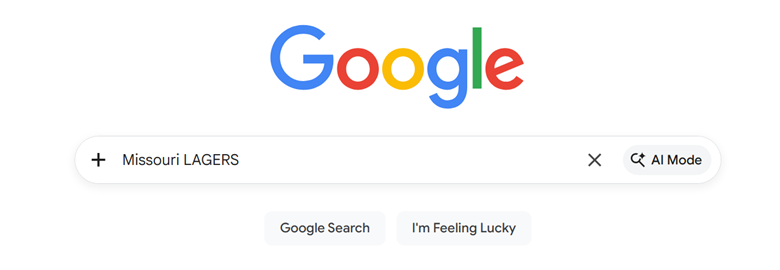
Another method of weeding out fake websites is to use a trusted internet search engine and search for Missouri LAGERS rather than clicking an unfamiliar link from a text, email or pop-up message. Scammers often try to create a sense of urgency, so slowing down and searching for the organization yourself can help you find the correct website.
Keep your system updated
It’s important to keep your web browser, operating system, and security software up to date. Updates often include security fixes that help protect against fraudulent websites, malware, and other online threats.
After taking these steps, if a website still does not seem right, trust your instincts. Some other common red flags include poor grammar, low-quality images, vague or missing contact information, aggressive pop-ups, unexpected requests for sensitive information, or offers that seem too good to be true. These signs do not always guarantee a site is fake, but they can be warning signals that something is off.
Before entering any sensitive information online, take a moment to inspect the site carefully. A few extra seconds can go a long way in helping protect your account and personal information.
For questions, comments, or to report suspicious sites, reach out to [email protected].